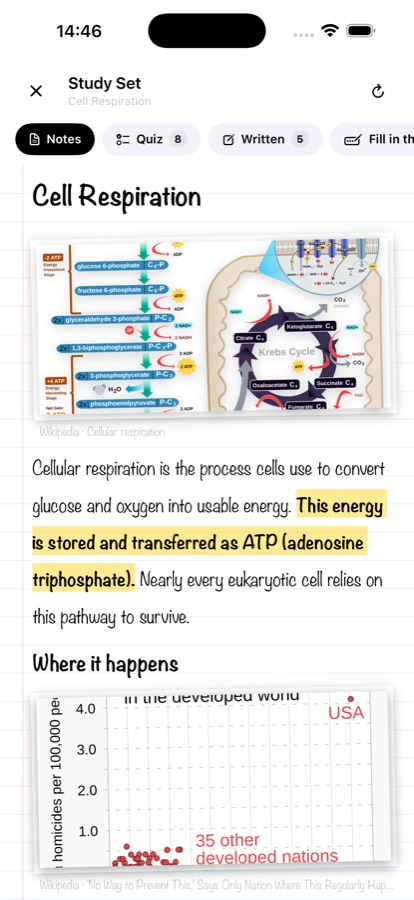
Photograph a page, record your voice, or just type. Qora turns it into a short, structured lesson with real quizzes — not another wall of text you'll re-read and forget.
Download on the App StoreNo account. Your notes stay on your phone.
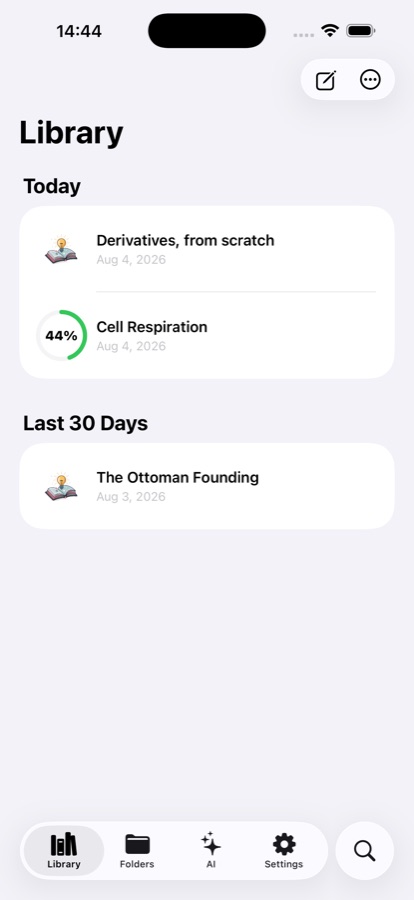
How it works
Four steps, and only the first one is yours.
Take the text out of a photo of a page, dictate it, or type it in.
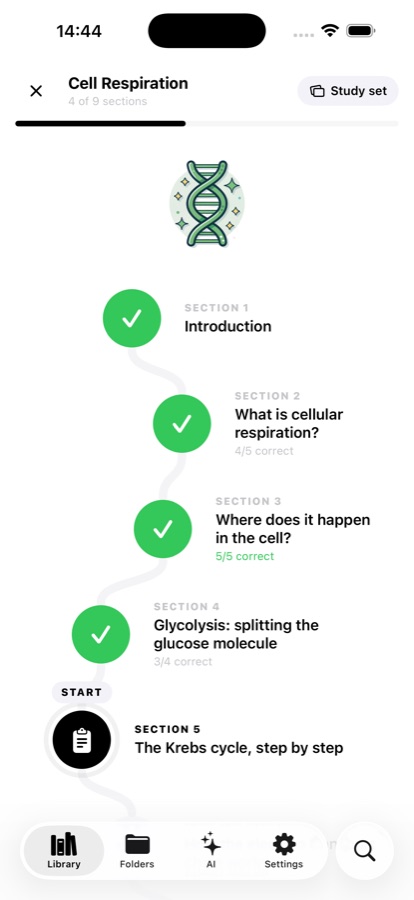
Qora breaks the material into sections and lays them out one bite-sized step at a time.
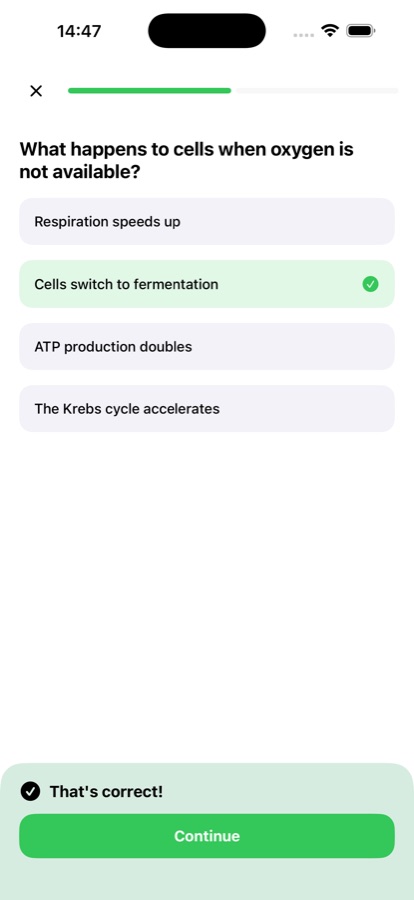
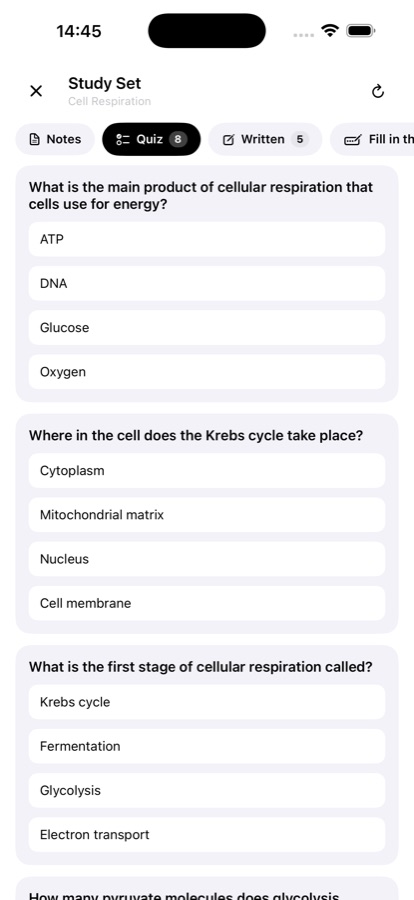
Questions written from your own page: multiple choice, fill in the blank, and written answers.
Saved per lesson, so you always pick up exactly where you left off.
Inside the app
Every screenshot below comes straight out of the app.


What's inside
So Qora asks in more than one way.
Multiple choice, fill in the blank, written answers and open recall — because picking the right option is the easiest kind of remembering.
Qora reads your note and highlights what actually matters, so the first pass isn't spent deciding what to underline.
No notes to hand? Tell Qora what you need to learn and it builds the lesson from scratch.
Your data
The short version. The full one is in the privacy policy.
Your notes, lessons and progress are stored locally. Reading text out of a photo and transcribing a voice note both happen on your phone — the image and the audio never leave it.
The text you submit is sent to our AI service to generate the lesson, quiz or answer. Its content isn't kept in our logs, and there's no account to create.
FAQ
No. There's no sign-up, no email, no password. Open the app and start.
It reads the text out of a photo on the device itself. Neat handwriting comes through well; very messy pages can lose a word here and there, and you can fix those before building the lesson.
No. They're written from the material you gave it, which is the whole point: a question bank tests someone else's syllabus, not yours.
Qora is free to download and try. Qora Pro is a paid auto-renewing subscription; you can manage or cancel it any time in your Apple Account settings.
Your notes, lessons and progress are stored on your phone. The text you submit is sent to an AI service to generate a lesson or quiz and isn't retained afterwards; photos and voice recordings never leave the device at all.
Take one photo and see what comes back. It takes about ten seconds.
Download on the App Store